
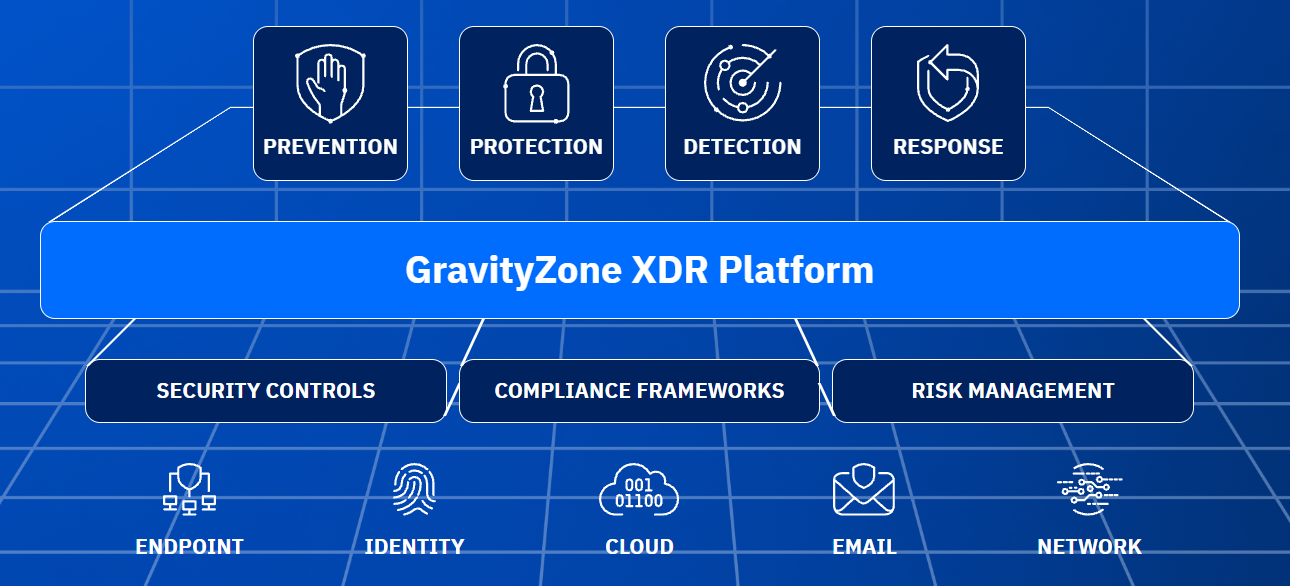
Ask a security team which servers are covered by endpoint detection and response (EDR) and the answer is usually “all of them.” Right up until someone asks about the storage. Storage appliances are the class of server most often left out: the vendor ships a locked-down OS, installing a third-party agent means a support call or an SSH session per node, and nobody wants to be the person who took down the file servers with an agent update. Meanwhile the storage holds exactly what ransomware is after, cyber-insurance questionnaires ask about EDR coverage across endpoints and servers, and you don’t want your storage to be listed under the exclusions list. From a compliance standpoint, frameworks such as Cybersecurity Maturity Model Certification (CMMC) and Payment Card Industry Data Security Standard (PCI DSS) expect malware protection and monitoring on every system that touches regulated data, storage included.
We have published guides before for adding CrowdStrike Falcon and Microsoft Defender for Endpoint to QuantaStor by hand. With QuantaStor 6.9, EDR becomes part of the product: QuantaStor installs, registers and monitors the agent for you, starting with Bitdefender GravityZone.
How it works
QuantaStor 6.9 adds an EDR framework with a module per vendor. The QuantaStor module for Bitdefender GravityZone takes the installation package URL you create in your GravityZone console under ‘Installation packages’, and when that is passed to QuantaStor it orchestrates the download, installation and monitoring of Bitdefender on all the Storage Systems selected. If the Bitdefender service ever stops, QuantaStor automatically raises an alert. QuantaStor doesn’t replicate GravityZone’s policy, detection, or response functions so GravityZone stays the primary security management and control point across your environment.
Step 1: Create an installation package in GravityZone
In the GravityZone console, go to Network > Installation packages and create a package for your storage systems. This is where you choose which protection modules the agent runs.

These are our recommended settings, but you may find further customization is needed for your environment. In our testing we did not find that Bitdefender was using much CPU and other resources, but depending on your configuration settings you may need to narrow scanning and other options to reach a fair compromise of strong security with minimal performance impact.
When the package is saved, open it with Send download links and copy the Linux Downloader link, or just the package ID inside it — QuantaStor accepts either.

Step 2: Install the agent from QuantaStor
In the QuantaStor web interface, open Security > EDR Agents and click Install Agent. Choose the Bitdefender module, paste the package ID or link, and tick every storage system that should get the agent. The list shows each system’s service, kernel and OS version, so you can confirm platform support before you start.

The same dialog is on each storage system’s right-click menu, which is handy when you add a new node to a grid that is already protected.

QuantaStor downloads the installer from GravityZone onto each system, installs it, and registers the agent with your GravityZone tenant. The appliances need outbound access to GravityZone for that download.
Step 3: Watch coverage from both sides
Once installed, each agent appears in the EDR Agents list with its status, version and enabled features, and QuantaStor refreshes that information automatically.

An agent that has stopped running shows up in the storage management interface, not only in the security team’s console — and in GravityZone, the storage systems appear alongside the rest of your endpoints, with the same policies, alerts and reporting.
Everything is scriptable as well: qs edr-agent-create, qs edr-agent-list and qs edr-agent-delete cover the same workflow from the CLI.
Summary
QuantaStor 6.9 closes the gap that usually leaves storage out of an EDR rollout. A Bitdefender GravityZone agent goes onto every storage system in the grid from one dialog, with no SSH session per node, and its health stays visible in QuantaStor. The full reference, including the CLI and firewall requirements, is on the wiki under Security Configuration: Endpoint Detection & Response.
Special thanks to Bitdefender and the team at Dreadnought for sharing their EDR expertise and assistance in making this integration happen.
“Too many storage providers demand customers shift security workloads away from the SAN. With QuantaStor 6.9, OSNEXUS embraces native security directly on the appliance.” – Rowan Edge, Dreadnought Endeavors
Questions, comments, please write us at info@osnexus.com. To get started with QuantaStor (free Community Edition available) visit osnexus.com/downloads to get the QuantaStor OS ISO image and license keys for Community or Trial Edition.

I’m the CEO & co-founder of OS NEXUS, a storage appliance software company with a focus on scale-out storage management. We do a lot of hardware and software storage technology integration on Linux with our QuantaStor Software Defined Storage (SDS) platform this blog is our way to share some thoughts and insights on these technologies and where we’re headed with SDS.
About The Author

Leave a Reply