-
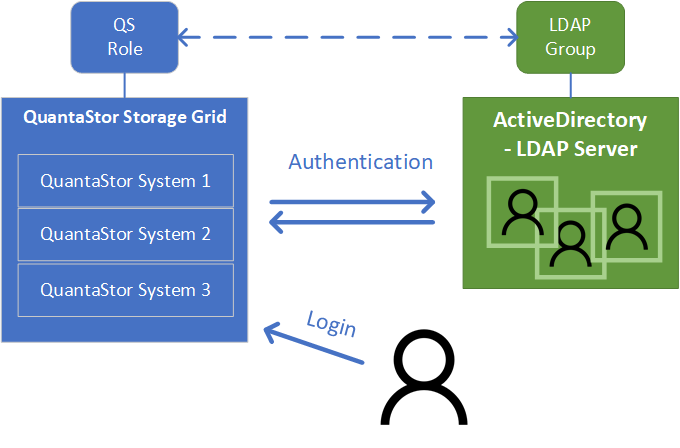
QuantaStor 5.8: Automated Reporting, Zero Touch Maintenance, and Single Sign-On with LDAP
With the release of QuantaStor 5.8, OSNEXUS continues to focus on features that bring the public cloud ease-of-use and ease-of-maintenance to the private cloud for utility grade storage. The v5.8 release includes new automation features around zero-touch maintenance, single-sign-on security features, and new automated reporting capabilities for monitoring storage grids… Listen ⇢
-
NAS to Cloud Storage Tiering with Dalet Media Asset Management
MAM platforms require high-performance NAS storage systems for local media asset editing and playback, but as assets age, they need to be archived to free up space on higher cost NAS systems. Traditionally that migration has been to tape but with low-cost cloud options like Azure Blob, one can now… Listen ⇢
-
Bridging IBM Cloud Direct to IBM Cloud Object Storage Part Two: Setting up a Highly-Available S3 Reverse Proxy Cluster
For some environments the impact of having the S3 Reverse Proxy offline for any amount of time for maintenance or due to a hardware outage is too high and in these cases we recommend that two systems be deployed and configured as a highly-available S3 proxy cluster configuration. To get… Listen ⇢
-
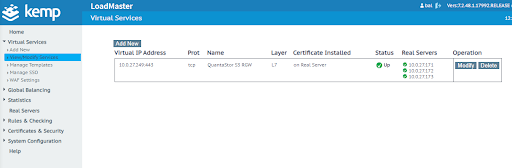
How to Setup Kemp LoadMaster on QuantaStor
Load balancing is critical in today’s storage environment as it ensures that as queries and requests come in, any single server won’t be overloaded and unable to perform the task at hand. Load balancers efficiently distribute incoming network traffic across a server pool so that it does not need to… Listen ⇢
-
Bridging IBM Cloud Direct to IBM Cloud Object Storage with QuantaStor 5
Part 1: Setting up an S3 Reverse Proxy Hybrid cloud environments consisting of on-premise, private cloud, and public cloud, have become the new norm for IT organizations as they simplify workload consolidation, scalability, recoverability and automation. For IBM users, the IBM Cloud Direct Link (CDL) is a key technology for… Listen ⇢

-
How to Integrate Globus Connect Server with QuantaStor
Globus Connect Server delivers advanced file transfer and sharing capabilities on your network. This article provides installation steps for Globus Connect Server v4, along with how to integrate QuantaStor to be used as an endpoint for Globus Connect Server v4. In our testing, we used Ubuntu 18.04 LTS. The steps below… Listen ⇢

-
Automating Storage Provisioning using Ansible with QuantaStor
Ansible is an IT automation solution that helps reduce complexity and improve productivity in virtually any environment. Applications can be complex, but Ansible makes automation simple through a system of “playbooks”. Playbooks are like scripts but much simpler as it enables one to specify what you want done (installing software,… Listen ⇢
-
QuantaStor Community Edition Now Available with Full Enterprise Edition Capabilities
OSNEXUS has always offered a Community Edition of it’s QuantaStor Software-Defined Storage platform since the company’s inception with the goal of letting open source users manage their storage with a limited set of features commonly present in QuantaStor’s Enterprise Edition. With the latest release of QuantaStor 5.4, we are pleased… Listen ⇢

-
Enabling Digital Twin Storage Management in the IBM Cloud with QuantaStor 5
To increase productivity in the physical world, organizations are increasingly turning to digital twin technology where data-driven, virtual copies or twins of physical objects or business processes correlate data from real-world objects for modeling, testing and scaling. Examples include making a complete copy of a business function, such as a… Listen ⇢
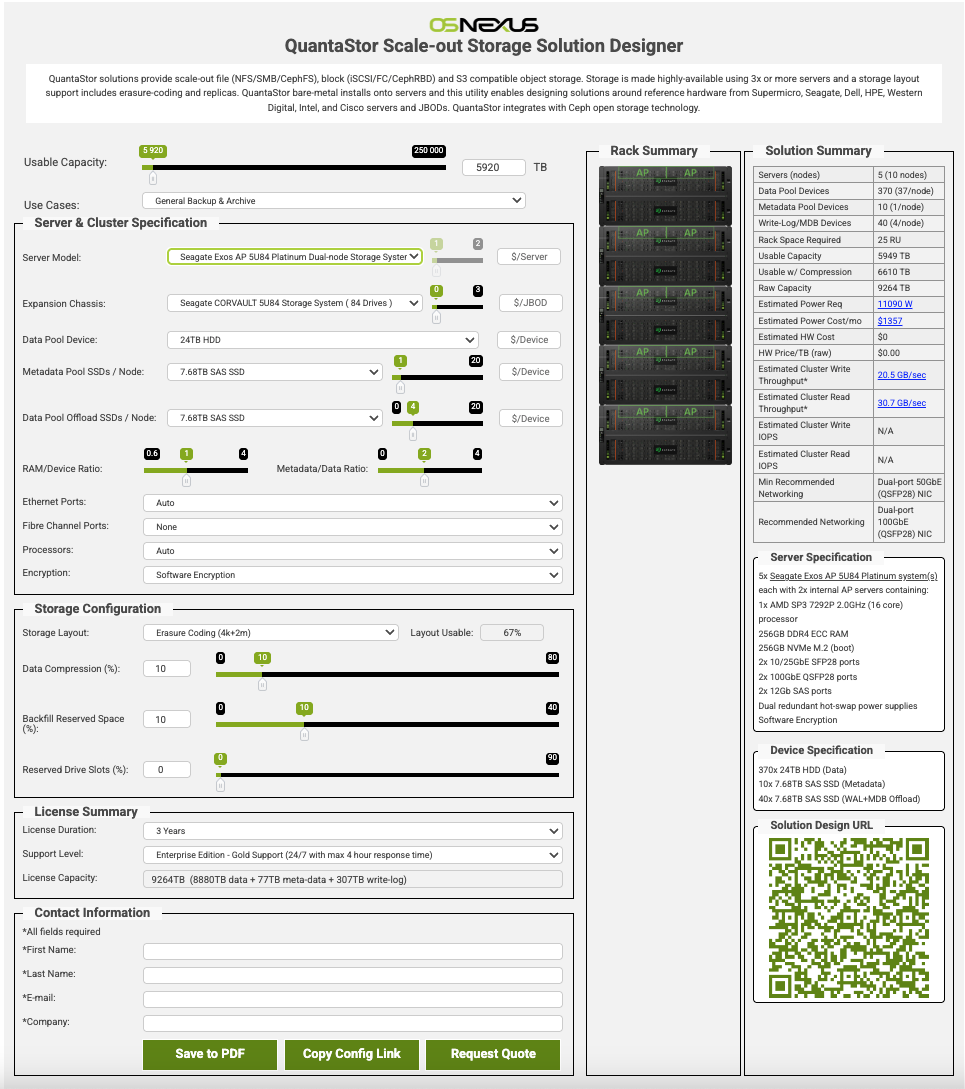
Design your next Scale-up or Scale-out configuration with our design tools.